Blue Grey Watercolor Flower Clip-art: Selecting High-Resolution Assets for Professional Design
The muted, sophisticated palette of blue grey watercolor flower clip-art has become a staple in modern digital design, bridging the gap between vintage botanical illustration and contemporary minimalism. This specific colorway offers a versatility that brighter primaries or standard pastels often lack, allowing designers to create wedding stationery, branding materials, and web layouts that feel organic yet refined. However, the popularity of this aesthetic has led to a saturated market where quality varies drastically. For creators, marketers, and small business owners, the challenge is rarely finding floral assets; it is identifying files that possess the technical integrity required for professional output.
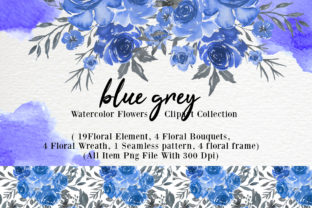
When evaluating a comprehensive collection, such as a set containing 19 separating images of flowers and leaves, 4 bouquets, 6 wreaths, 4 frames, and seamless patterns, you must look beyond the thumbnail preview. A common pitfall for beginners and even experienced freelancers is assuming that all "high resolution" claims are equal. True usability lies in the specific combination of pixel dimensions, color profiles, and file formatting. Understanding these technical nuances prevents the frustration of blurry prints, jagged edges, and hours of wasted editing time.
Evaluating Resolution and Pixel Dimensions
The most frequent mistake when acquiring blue grey watercolor flower clip-art is confusing DPI (dots per inch) with actual pixel dimensions. A file labeled 300 DPI is meaningless if the image is only 500 pixels wide. For professional applications, you should verify that every element—whether it is a single leaf or a complex floral arrangement—is between 2000 and 6000 pixels on the longest edge. This range is the sweet spot for versatility.
Assets below 2000 pixels may suffice for social media graphics but will degrade quickly when scaled for an 8x10 invitation or a website hero banner. Conversely, while 6000 pixels provides ample detail for large-format printing, excessively massive files can bloat web projects and slow down design software. When reviewing a pack with 19 individual elements and multiple compositions, check the specifications for each category. Wreaths and frames typically require higher pixel counts than single stems because they cover more surface area. If a wreath is only 2000 pixels wide, it may not have enough resolution to serve as a border on a standard letter-sized document without appearing soft.
The Importance of Transparent Backgrounds
For any clip-art collection to be truly functional, PNG format with a transparent background is non-negotiable. A significant oversight occurs when designers purchase sets that only offer JPG formats or PNGs with white backgrounds masquerading as transparent. While JPG is excellent for seamless patterns and flat backgrounds due to its smaller file size, it cannot support transparency. Attempting to remove a white background from a watercolor flower is notoriously difficult because the paint’s natural translucency blends into the paper texture. Automated removal tools often leave harsh halos or erase delicate wash details.
Ensure that the 4 flower bouquets, 6 wreaths, and 4 frames in your selected collection are explicitly provided as transparent PNGs. The JPG versions included in high-quality sets should be viewed as bonuses for mood boards or non-layered projects, not as primary design assets. Always open a sample file before committing to a full project to confirm the transparency is genuine and that no residual gray artifacts exist around the edges of the brushstrokes.
Color Profiles and Print Consistency
Blue grey tones are particularly sensitive to color space discrepancies. Most digital clip-art is created in RGB color mode because it is designed for screen-first workflows. However, many users intend to use these florals for physical products like business cards, packaging, or apparel. A common misunderstanding is that RGB files will automatically convert perfectly to CMYK for printing. In reality, certain vibrant or neon-leaning blues in RGB fall outside the printable CMYK gamut, resulting in dull, muddy greys upon printing.
While the assets described here are in RGB, which ensures vibrancy for web and digital viewing, you must account for this if your end goal is print. Before finalizing a purchase for a print-heavy project, request a test print or perform a soft-proof conversion in your design software. Because blue grey relies on subtle tonal shifts, verifying that the 300 DPI resolution holds up during this conversion is vital. The high pixel count (up to 6000px) helps mitigate some quality loss during color space conversion, but testing remains the only way to guarantee satisfaction.
Assessing Composition Versatility
A well-curated library of blue grey watercolor flower clip-art should solve layout problems, not create them. When examining a set with distinct categories like separating images, bouquets, wreaths, and frames, consider how they interact. A frequent error is buying isolated elements that do not share the same artistic style or lighting direction. If the 19 individual flowers were painted with a light source from the left, but the pre-made bouquets have shadows falling to the right, combining them will result in a disjointed, unprofessional appearance.
Look for consistency in brushwork and opacity across all asset types. The seamless pattern should utilize the same color swatches as the individual frames. This cohesion allows you to mix and match components confidently. For example, you might use a pre-made wreath for a certificate border but need to add two individual leaves from the separating images pack to balance the composition. If the set is stylistically unified, this customization looks intentional rather than patched together.
Licensing and Commercial Viability
For entrepreneurs and freelancers, the technical specs are only half the equation. Overlooking licensing terms is a costly mistake that can lead to legal issues or forced rebranding. Blue grey watercolor aesthetics are popular in the wedding and boutique sectors, meaning exclusivity matters. Check whether the license permits commercial use, especially for end products intended for resale. Some licenses allow you to use the clip-art in client work but prohibit using the raw assets in templates you sell to others.
Additionally, verify if attribution is required. While many premium packs waive this requirement, free or lower-cost alternatives often mandate credit. For professional branding where clean design is paramount, having to squeeze in an artist credit line can disrupt the layout. Investing in a properly licensed, high-resolution set with transparent backgrounds ultimately saves money by preventing redesigns and ensuring your assets remain usable across various commercial applications.
Practical Workflow Integration
Finally, organize your assets immediately upon download. With a collection comprising over 30 distinct files across multiple formats, a chaotic folder structure leads to inefficiency. Create subfolders for "Individual Elements," "Compositions," "Frames," and "Patterns." Rename files descriptively; "blue-grey-wreath-01.png" is infinitely more useful than "IMG_4920.png." This preparation step is often skipped by eager creators but pays dividends when you are working against a deadline six months later.
By prioritizing pixel dimensions between 2000-6000px, insisting on true transparent PNGs, understanding RGB limitations for print, and verifying stylistic consistency, you transform blue grey watercolor flower clip-art from a simple decorative element into a robust design system. These deliberate choices ensure that your creative output maintains the highest standard of quality, regardless of whether you are designing a digital invitation or a large-scale printed banner.